

Khắc phục lỗi 80072EFE khi cập nhật hệ điều hành Windows 7
Khắc phục lỗi 80072EFE khi cập nhật hệ điều hành Windows 7
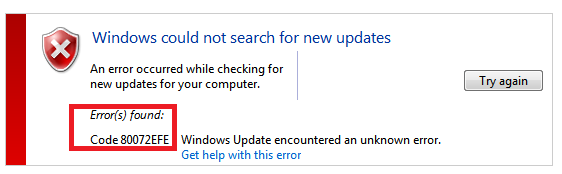
Bài viết này hướng dẫn bạn cách sửa lỗi 80072EFE khi chạy cập nhật hệ điều hành Windows 7.
Step 1: Truy cập đường dẫn sau:
https://www.catalog.update.microsoft.com/Search.aspx?q=KB3138612
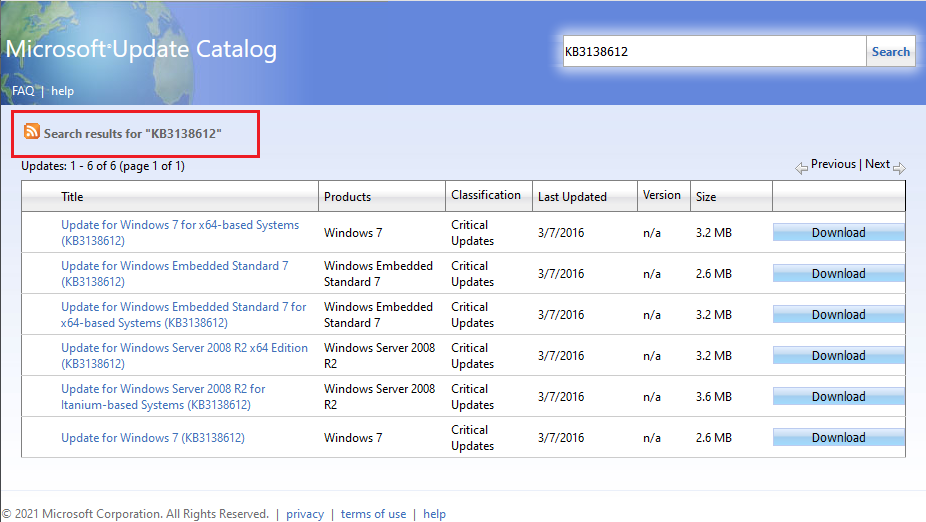
Step 2: Tải bản vá lỗi “KB3138612” cho Windows 7. Có 2 bản vá lỗi KB3138612 cho Windows 7 (01 cho hệ điều hành 64 bit và 01 cho hệ điều hành 32 bit):
+ Update for Windows 7 for x64-based Systems (KB3138612): For Windows 7 – 64 Bit
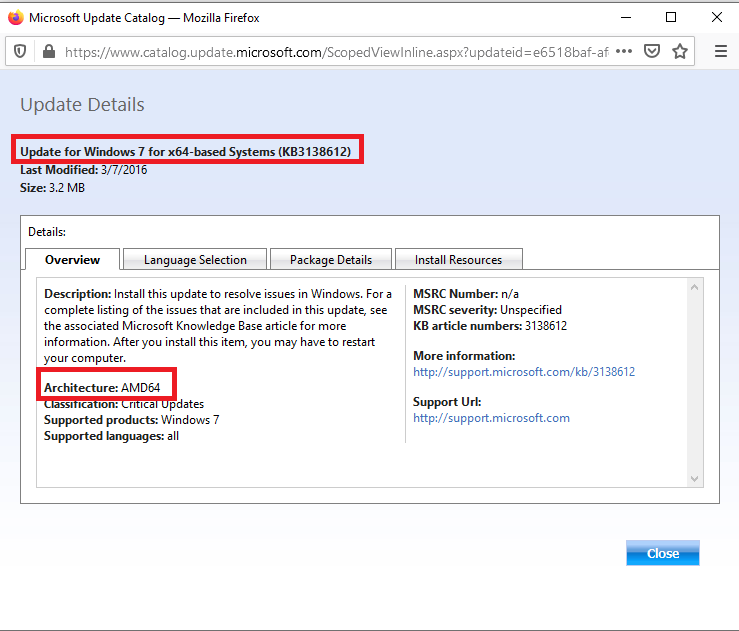
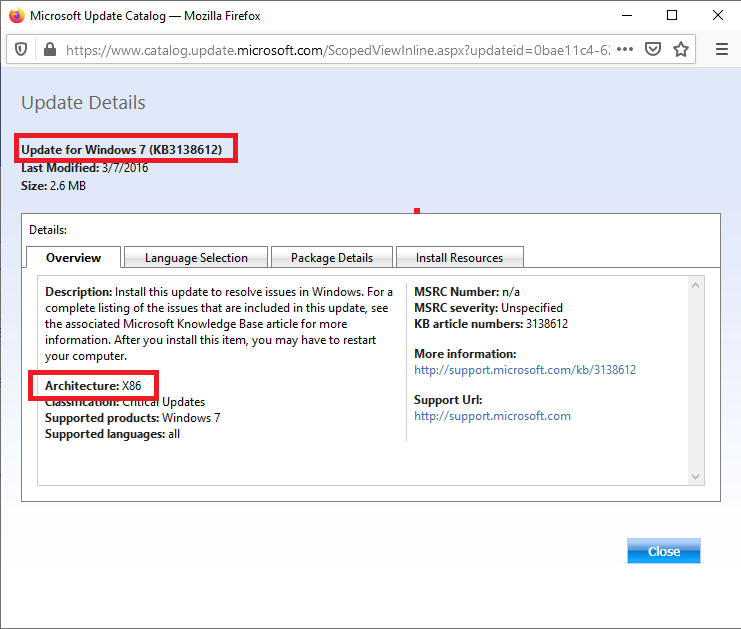
+ Update for Windows 7 (KB3138612): For Windows 7 – 32 Bit
Step 3: Chạy cài đặt bản vá KB3138612. Cuối cùng khởi động lại máy tính để để hoàn thành và kiểm tra việc vá lỗi.
Tags:
80072EFE, 80072EFE on Windows 7, update error 80072EFE on Windows 7, error 80072EFE on Windows 7, code 80072efe, windows update 80072efe, 80072efe windows 7, windows update code 80072efe, windows could not search for new updates 80072efe.
